

One missed vendor confirmation, one forgotten AV cue, one overlooked dietary restriction for 400 attendees. Any of these can unravel months of meticulous planning in minutes. For agencies managing in-person, virtual, and hybrid events simultaneously, the margin for error is razor-thin. A structured, agency-grade checklist is not a convenience tool. It is the operational backbone that separates polished execution from preventable disaster. This guide delivers exactly that: fully researched, format-specific checklists and frameworks built for professional event teams who need reliability at every stage.
Table of Contents
- Core criteria for your event project management checklist
- Step-by-step checklist for in-person, virtual, and hybrid events
- Run-of-show and AV production: the most overlooked checklist elements
- Customization and collaboration: agency-specific checklist upgrades
- Why most event checklists fall short—and what agencies should do instead
- Level up your agency's event management
- Frequently asked questions
Key Takeaways
| Point | Details |
|---|---|
| Foundational criteria matter | Set goals, budgets, and timelines early for successful event project management. |
| Tailored lists boost reliability | Customizing checklists by event type and client needs prevents common errors. |
| Run-of-show details prevent chaos | Explicit AV production steps protect against major technical failures. |
| Collaboration is critical | Agencies succeed by sharing and iterating checklists with all stakeholders. |
Core criteria for your event project management checklist
Every strong event checklist starts long before the venue is booked or the streaming platform is selected. The foundational layer of any agency checklist must address strategic decisions that shape every downstream task. Skip these early steps, and you spend the rest of the project course-correcting.
The 18-step framework from Eventbrite's event planning guide reinforces what experienced agencies already know: goals and objectives must come first. Before budget conversations begin, your team needs a clear answer to the question "what does success look like?" Is it lead generation, brand awareness, attendee satisfaction scores, or a specific number of qualified meetings? The answer determines every other decision.
Here are the core criteria every agency checklist must include:
- Event goals and objectives: Define measurable outcomes tied to client KPIs before any logistics begin
- Budget framework: Request quotes from all vendors and venues early, including contingency lines for tech failures, weather, and last-minute changes
- Date selection: Cross-reference competing industry events, public holidays, and seasonal travel patterns that affect your target audience
- Audience profile: Clarify who is attending, what their engagement expectations are, and whether accessibility accommodations are required
- Stakeholder alignment: Confirm sign-off from all internal and client-side decision-makers before locking any contracts
- Run-of-show outline: Even at the planning stage, a rough program timeline prevents scope creep and budget overruns
"A checklist without clear objectives is just a to-do list. Objectives give every task a reason to exist."
A common agency mistake is treating the checklist as a static document created once and filed away. In reality, your checklist should be a living project artifact, updated after every vendor call, client review, and site visit. Explore the event management guides available from OAK EVENTS for additional frameworks that support this iterative approach.
Pro Tip: Build your checklist inside a shared project management tool from day one, not a personal spreadsheet. This ensures every team member works from the same version and accountability is visible to everyone.
Step-by-step checklist for in-person, virtual, and hybrid events
Once your foundational criteria are locked, the checklist expands into format-specific tasks. Each event type carries its own risk profile and operational requirements. Treating them all the same is one of the most common agency errors.
In-person event checklist
- Confirm venue capacity, accessibility, and insurance requirements
- Finalize catering orders with dietary options documented and confirmed
- Book AV equipment and conduct a full technical walkthrough on-site
- Arrange signage, wayfinding, and branded materials with print deadlines
- Assign staff roles with written briefings and emergency escalation contacts
- Confirm parking, transport links, and accommodation for out-of-town attendees
- Establish a registration and check-in process with backup procedures
- Schedule a full rehearsal with all presenters at least 48 hours before the event
Virtual event checklist
- Select and test your streaming and engagement platform at least three weeks out
- Conduct tech checks with every speaker, including bandwidth and audio quality
- Prepare a digital engagement plan: polls, Q&A, chat moderation, and breakout rooms
- Set up attendee registration with automated confirmation and reminder emails
- Record a dry run of the full program and review it for pacing and technical gaps
- Prepare a technical support protocol for attendees who cannot connect on the day
- Confirm recording and on-demand access settings before going live
- Brief moderators on platform features and escalation steps for live issues
Hybrid event checklist
Hybrid events carry the combined complexity of both formats, plus the critical challenge of making both audiences feel equally valued. The hybrid event checklist from OAK EVENTS goes deeper on this, but the core items include:
- Establish a dedicated hybrid producer role responsible for both audiences simultaneously
- Confirm that in-room AV feeds cleanly into the streaming platform without latency issues
- Create separate engagement tracks for in-person and virtual attendees
- Test all transitions between live presentations, pre-recorded content, and remote speakers
- Set up a real-time communication channel between the on-site team and the virtual production team
- Confirm that Q&A from virtual attendees can be seen and responded to on-site
- Run a full hybrid rehearsal with both physical and remote participants
As Eventbrite's planning guidance confirms, establishing objectives and quotes early is critical regardless of format. The same principle applies here: the earlier you lock your platform, venue, and supplier dependencies, the fewer surprises you face in the final stretch.
Quick-reference comparison table
| Checklist area | In-person | Virtual | Hybrid |
|---|---|---|---|
| Venue/platform | Physical venue required | Digital platform only | Both required |
| AV complexity | High (on-site) | Medium (remote) | Very high (integrated) |
| Staffing | On-site team | Remote moderators | Dual teams |
| Engagement tools | Physical interaction | Polls, chat, Q&A | Both channels |
| Tech rehearsal | On-site walkthrough | Platform dry run | Full integrated test |
| Contingency planning | Weather, logistics | Connectivity, platform | All of the above |
Pro Tip: For hybrid events, always assign one person whose sole responsibility is monitoring the virtual audience experience. Without this role, online attendees consistently receive a lower-quality experience than those in the room.
Run-of-show and AV production: the most overlooked checklist elements
Even agencies with thorough planning checklists frequently underinvest in production documentation. The run-of-show (ROS) document is the single most important operational artifact for any live event, yet it is routinely treated as an afterthought.
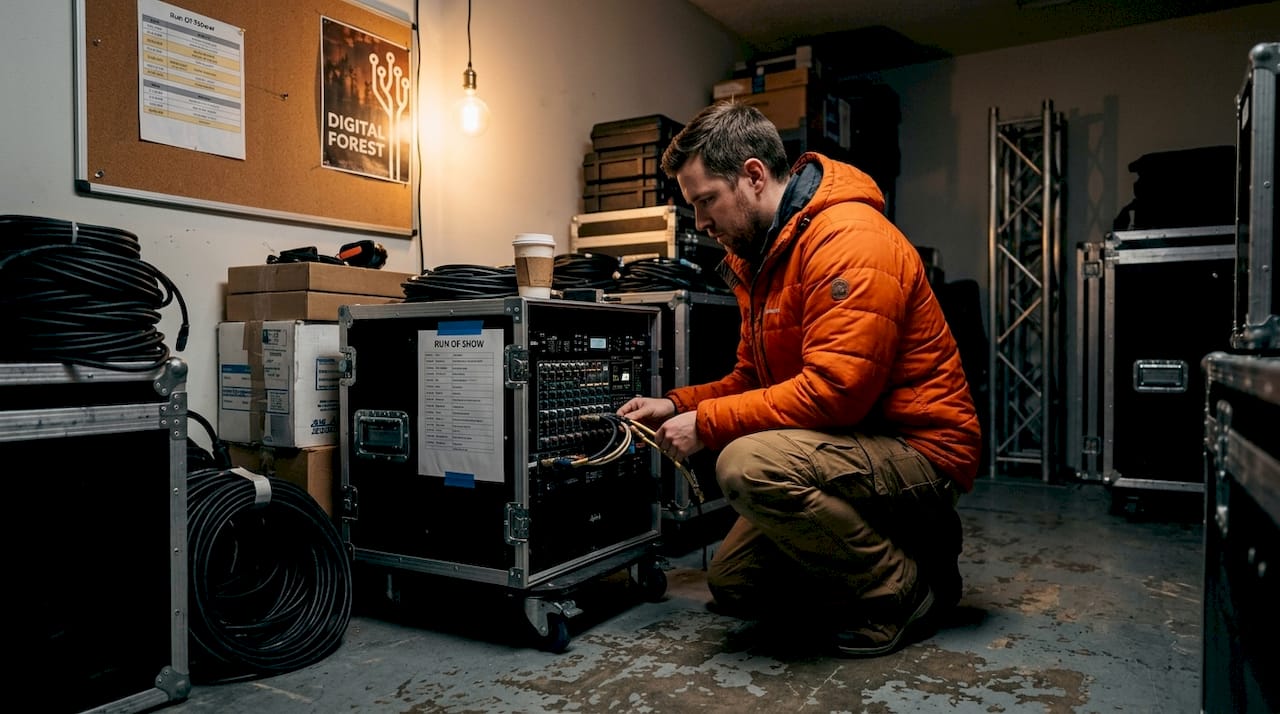
A run-of-show is a minute-by-minute script of the entire event, covering every cue, transition, speaker handoff, and technical action. It is not a program agenda for attendees. It is an internal production document that every crew member, presenter, and platform operator works from simultaneously.
According to AV production best practices from AVT Productions, a properly structured ROS must include:
- Timestamps and durations: Every segment needs a start time, end time, and buffer for transitions. This is where timing drift begins if left vague.
- Transition intent: Simply writing "transition to next speaker" is not enough. The ROS must specify who moves where, which microphone is live, and what appears on screen during the handoff.
- Platform and presentation specs: File formats, slide dimensions, video codecs, and aspect ratios must be confirmed and documented before the event day.
- File versioning conventions: One wrong deck version played to 1,000 attendees is a recoverable but embarrassing failure. A clear naming convention (e.g., "SpeakerName_FinalV3_2026") prevents this.
- Verbal roll cues: Every video playback and live switch needs a spoken cue so the production team acts in sync.
"The run-of-show is not a document you create the night before. It is a living production file that reflects every change, every rehearsal note, and every confirmed technical spec."
Common pitfalls agencies encounter include missing transition time between segments (which causes the entire program to drift), vague handoff instructions that leave crew members guessing, and platform mismatches discovered only during the live event. These are not bad luck. They are checklist failures.
For agencies managing event engagement techniques alongside production logistics, the ROS also needs to document interactive elements: when polls open, when Q&A is enabled, and who is responsible for moderating each.
Production QA checklist
| QA item | Responsible party | Confirmed by | Deadline |
|---|---|---|---|
| All presentation files received | Content manager | AV lead | 72 hours pre-event |
| File format and codec verified | AV technician | Producer | 48 hours pre-event |
| Microphone and audio levels tested | AV technician | Stage manager | Day of rehearsal |
| Streaming encoder settings confirmed | Platform operator | IT/tech lead | 48 hours pre-event |
| Run-of-show distributed to all crew | Producer | All department leads | 24 hours pre-event |
| Backup internet connection tested | IT lead | Producer | Day of rehearsal |
| Emergency contact list circulated | Event manager | All team members | 48 hours pre-event |
Customization and collaboration: agency-specific checklist upgrades
No two clients are the same, and no two events are identical. Generic checklists provide a starting point, but agencies that consistently deliver exceptional results build customized versions for each project type, client sector, and team configuration.
Checklist customization should account for:
- Event scale: A 50-person executive roundtable needs a very different checklist than a 5,000-person trade show. Task granularity, lead times, and staffing ratios all shift significantly.
- Industry context: A pharmaceutical company's event may require compliance documentation and medical affairs sign-off. A tech sector launch may need embargo management and media credentialing. Build these into your template library.
- Client feedback touchpoints: Define in advance when the client reviews and approves each checklist milestone. Waiting until the final week for client input on catering, signage, or speaker bios creates unnecessary pressure.
- Vendor coordination: As Eventbrite's guidance emphasizes, collaborating on logistics with all suppliers as early as possible is essential. Your checklist should include a vendor communication log with confirmed response deadlines.
Recommended tools for agency checklist management include:
- Shared project management platforms with task assignment and deadline tracking
- Event management software with built-in registration, check-in, and reporting modules
- Collaborative document tools for real-time ROS editing during production
- Custom agency templates organized by event type and client sector
When choosing event management platforms, prioritize tools that integrate with your existing CRM and support single sign-on (SSO) for enterprise clients. Platform fragmentation is one of the leading causes of operational errors in complex events.
Collaboration between internal teams and external vendors also requires a clear escalation structure. Every checklist should identify who makes final decisions on budget overruns, schedule changes, and technical substitutions. Without this clarity, agencies lose time to unnecessary approval loops during the most critical pre-event hours.
Why most event checklists fall short—and what agencies should do instead
Here is an uncomfortable truth: most agency checklists are built for the event the team planned, not the event that actually happens. They are static documents designed around ideal conditions. Real events do not run in ideal conditions.
A speaker cancels 90 minutes before their session. The streaming platform updates its interface the night before the event. The catering delivery arrives two hours late. A corporate client changes the keynote slide deck at 7:00 AM on event day. None of these scenarios appear in a standard checklist template, yet every experienced agency has lived through all of them.
The agencies that handle these moments well are not the ones with the longest checklists. They are the ones who treat their checklists as adaptive frameworks rather than fixed instructions. This means building decision trees into critical checklist items, not just task boxes. It means running live test days before every major event, where the full team simulates the program from start to finish under realistic conditions. It means scheduling a post-event debrief within 48 hours to capture what the checklist missed and updating the template before the next project begins.
Generic lists also fail because they do not account for the human layer. Who is responsible when a task is marked complete but not actually verified? Accountability gaps are a checklist design problem, not a personnel problem. Build owner fields, verification steps, and sign-off requirements into every critical item.
The most effective agency checklists are also audit-ready. This means every completed task has a timestamp, a responsible party, and a confirmation record. When a client asks "why did this happen?" you can answer with documentation, not memory. Explore the custom event strategies available through OAK EVENTS to see how structured, platform-supported workflows make this level of accountability achievable at scale.
The bottom line: stop treating your checklist as a one-time deliverable. Treat it as a system that improves with every event you run.
Level up your agency's event management
Managing complex events across multiple formats requires more than a well-designed checklist. It requires a platform built to support every stage of the process, from registration and check-in to live streaming, attendee engagement, and post-event reporting.
OAK EVENTS is designed specifically for agencies and corporate teams who need reliability, customizability, and measurable outcomes from every event they produce. Whether you are running a multi-day conference, a virtual training series, or a hybrid roadshow across multiple cities, the OAK EVENTS platform provides the integrated tools to manage it all from one place. For agencies working in fast-moving sectors, the event management solutions for media and tech offer tailored support for high-stakes launches and complex production environments. Discover how a unified platform can replace fragmented tools and give your team the operational clarity it needs to execute with confidence.
Frequently asked questions
What are the earliest steps in an agency's event project checklist?
Set event objectives, create an initial budget, and select your event date with audience and competition in mind. As the Eventbrite planning framework confirms, these three foundational steps shape every subsequent decision in the planning process.
How do agencies avoid production mishaps in live or hybrid events?
Run-of-show documentation should include cue-level detail, clear transition intent, and scheduled checkpoints to prevent technical errors. AV production best practices from AVT Productions specifically flag missing transition time, vague handoffs, and file versioning errors as the most common and preventable causes of live event failures.
Which agency tools streamline event project checklists?
Event management software, shared project boards, and custom templates are the most effective for team coordination. Platforms that integrate with CRM systems and support SSO are especially valuable for enterprise-level event programs.
What's the best way to avoid missing checklist items?
Use a collaborative, step-by-step checklist that is regularly reviewed and quickly updated before each milestone. Assign a named owner and a verification step to every critical task so accountability is built into the structure, not assumed.